
Why Your WhatsApp Templates Keep Getting Rejected: The 11 Reasons Meta Won't Tell You About
Meta keeps rejecting your WhatsApp templates. Learn the 11 unwritten rules behind their decisions — and how to finally get approved.
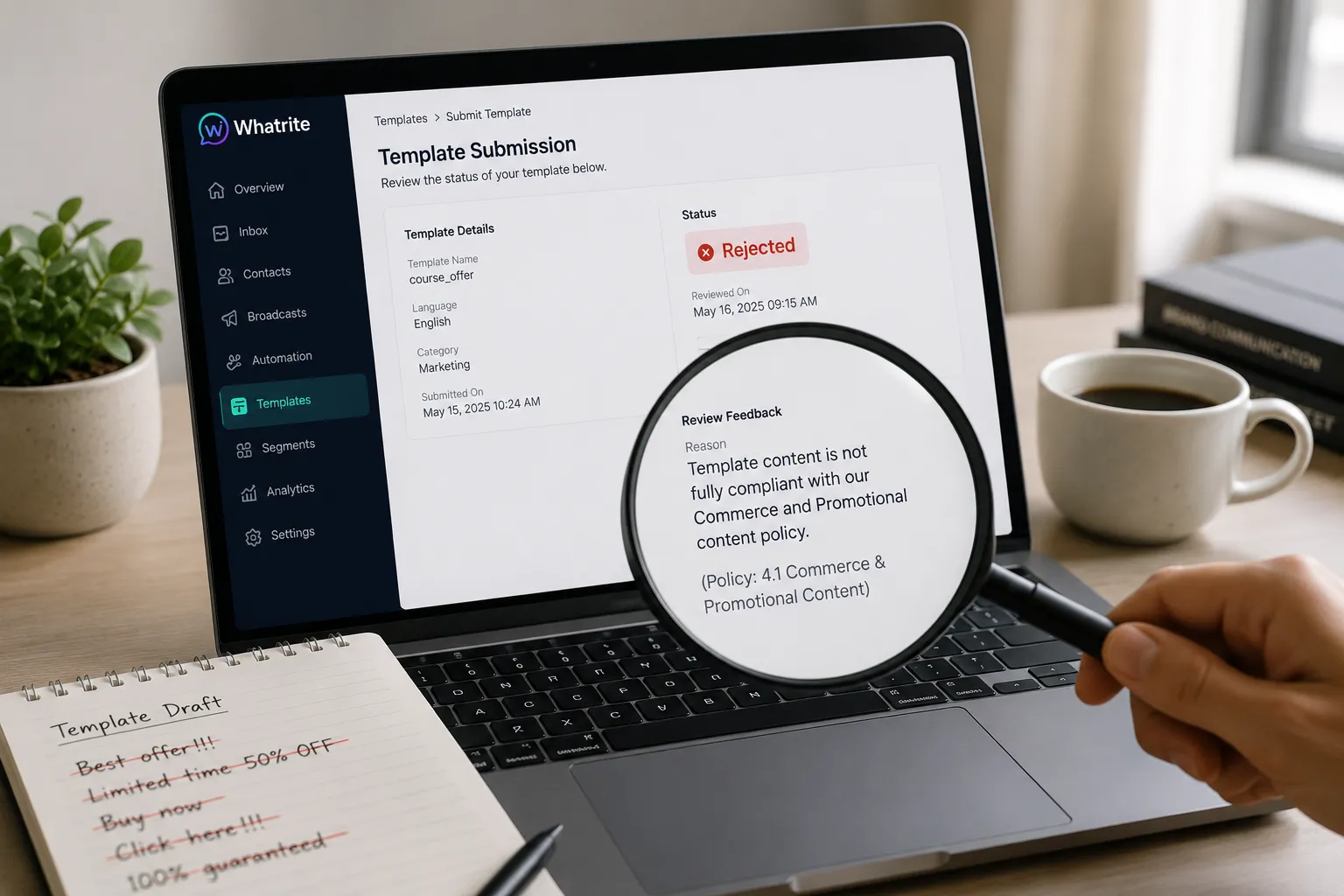
You're staring at the screen. Your template has been sitting in "Rejected" status for three days, and the only feedback Meta sent back was a four-word message: "Template does not comply." You have no idea what to fix, where you went wrong, or how long the appeal will take. This happens constantly in the WhatsApp ecosystem, and the official documentation does not prepare you for it.
This guide is a forensic walkthrough of the eleven most common reasons your WhatsApp templates keep getting rejected. For each pattern, you will see exactly what triggers the rejection and what to do instead. By the end, you will have a repeatable checklist to run before every submission.
Why WhatsApp Template Rejections Happen So Often
Meta's review team operates on automated checks combined with manual spot-checks. The system catches structural violations quickly, but the grey areas are where most teams get burned. Marketing copy slipping through under a Utility label. Variables placed where they create ambiguity. URLs that technically work but do not match your verified domain. These are not obscure bugs. They are the reason most first-time submissions fail, even when the message content itself is legitimate.
If you are managing multiple WABAs on a platform like Whatrite, the risk compounds because every account has its own review queue, its own verified domain configuration, and its own compliance exposure. Getting this right saves you from repeated review cycles that delay your broadcast campaigns by days.
The 11 Most Common WhatsApp Template Rejection Patterns
1. Marketing Copy Submitted Under the Utility Category
The Utility category is intended for transactional updates: order confirmations, appointment reminders, flight changes. Review teams are specifically trained to flag promotional language here. Words like "exclusive," "limited time," or any call-to-action phrasing will get your template rejected immediately.
Rejected version:
Hi {{1}}, Great news! We have an exclusive offer just for you. Claim your 20% discount before it expires — shop now at {{2}}.
Fixed version:
Hi {{1}}, Your order #{{2}} has been confirmed. Delivery expected by {{3}}. Track your shipment at {{4}}.
If your message contains promotional intent, use the Marketing category and structure the template accordingly. Meta's guidelines distinguish between messages that inform and messages that persuade.
2. Variables at the Start of a Message
Variables cannot appear as the first element of your template. The review system requires human context at the message opening to determine intent. Placing a name or order number first creates ambiguity about who is sending the message and why.
Rejected version:
{{1}}, your booking is confirmed for {{2}}.
Fixed version:
Your booking is confirmed, {{1}}. See you on {{2}} at {{3}}.
Always lead with a fixed context phrase, then place your variables after the opening sentence establishes who or what the message is about.
3. Generic Greetings Without Context
Phrases like "Hello {{1}}" or "Dear Customer" are considered too generic for high-volume business messaging. The review team interprets these as broadcast spam signals. Your greeting should give the recipient enough context to understand why they are receiving the message.
Rejected version:
Hello {{1}}, we have an update for you regarding your recent enquiry.
Fixed version:
Hi {{1}}, this is from ABC Properties. Regarding your enquiry about the 2BHK flat in Koramanpally — the site visit is scheduled for {{2}}.
4. URLs That Do Not Match Your Verified Domain
Every link in your template must resolve to a domain registered and verified under your WhatsApp Business account. This is a hard Meta requirement. Redirect chains, shortened URLs, and links to subdomains that are not explicitly verified will all trigger rejection.
Rejected version:
Track your delivery here: https://bit.ly/yourtracking
Fixed version:
Track your delivery at our portal: https://yourbrand.com/track/{{1}}
Before submitting any template, audit every URL against your verified domain list in the Meta Business Manager. If you are using Whatrite, your verified domain settings live in the account configuration panel — make sure all outbound links point there.
5. Variable Mismatches Between Body and Example Values
Your template must include an example value for every variable. These examples must match the variable type and position in the body copy. A mismatch between the declared variable format and the example value is an immediate reject.
Rejected version:
Body: Your OTP is {{1}}. Valid for {{2}} minutes.
Example: Your OTP is 123456. Valid for ten minutes.
Fixed version:
Body: Your OTP is {{1}}. Valid for {{2}} minutes.
Example: Your OTP is 584732. Valid for 5 minutes.
Use numeric examples for OTP-style variables. Use clear text for names, dates, and addresses. The example is not decorative — it is part of the review signal.
6. Prohibited Content Categories for the Indian Market
Meta enforces specific restrictions on content categories that are legal grey areas in India. Cryptocurrency promotions, gambling services, certain financial products requiring prior approval, and misleading health claims are subject to heightened scrutiny or outright prohibition. Even mentioning these topics in passing can flag your entire template for rejection.
Before submitting templates in the fintech, gaming, or health supplement space, cross-reference your copy against Meta's restricted content policies. If you are unsure whether your product category falls under special review, consult the policy documentation or engage a compliance team before you write your template.
7. All-Caps or Excessive Punctuation
Using ALL CAPS, multiple exclamation marks, or strings of symbols like "!!!" or "????" reads as aggressive marketing behavior to the review system. This is especially true if your template is categorized as Utility or Authentication. Keep your punctuation measured and your casing standard.
Rejected version:
URGENT!! Your order has shipped!!! Check status NOW!!!
Fixed version:
Your order has shipped. Check the delivery status at {{1}}.
8. Duplicate Templates With Minor Variations
Meta flags templates that are substantially identical to previously approved versions. If you submitted a template for a site visit reminder and it was approved, submitting a second template that only changes the time slot or date format will likely be rejected as a duplicate. The review team interprets this as an attempt to circumvent template limits.
Rejected approach: Three separate templates for morning, afternoon, and evening site visit confirmations.
Fixed approach: One template with a time variable: Your site visit at {{1}} ({{2}} IST) is confirmed. Our executive will meet you at the property gate.
Use variables to consolidate similar templates rather than creating separate versions.
9. Authentication Templates With Marketing Language
Authentication templates are strictly for one-time passwords, account verification codes, and login approvals. Any language beyond the verification function will cause rejection. This includes greeting phrases, thank-you messages, and promotional add-ons.
Rejected version:
Welcome to ServiceName! Your verification code is {{1}}. Do not share this with anyone. As a special offer, get 10% off your first order!
Fixed version:
Your ServiceName verification code is {{1}}. It expires in {{2}} minutes. Do not share this code with anyone.
Authentication templates are held to the highest standard of clarity and restraint. Strip everything that is not directly related to verifying the user.
10. Media Headers Without Proper Sample Uploads
If your template includes a header image, video, or document, you must upload a sample media file during submission. The sample must match the declared header type, and the text overlay on image headers must match the header text field in your submission. Uploading a placeholder or omitting the sample will result in rejection.
Before you submit, prepare a sample file that reflects exactly what your template header will contain. If you are using dynamic header text, provide a sample that represents the typical use case.
11. Language-Locale Mismatches
Your template language must match the declared locale exactly. Submitting an English template with Hindi example values, or mixing regional language indicators, causes rejection. Meta's review system parses locale as a structural field, not just a formatting preference.
Rejected version:
Language: English (en), Example values: "नमस्ते {{1}}, आपका ऑर्डर पहुंच गया"
Fixed version:
Language: Hindi (hi), Example values: "नमस्ते {{1}}, आपका ऑर्डर पहुंच गया"
If you serve a multilingual audience in India, submit separate templates per language-locale combination. Do not attempt to mix them in a single submission.
When to Appeal and When to Rewrite
Not every rejection is worth disputing. If the rejection cites a structural violation — a variable in the wrong position, a URL mismatch, a category error — the fastest path forward is a rewrite. Appealing a template that clearly violates a documented rule typically takes longer than simply fixing the issue and resubmitting.
Appeal when you believe the rejection is based on a misunderstanding of context rather than a clear rule violation. For example, if your template was rejected for "prohibited content" but your product is fully compliant and the rejection appears to be a false positive triggered by a specific word, the appeal process is appropriate. Attach supporting documentation, such as regulatory certifications or domain verification screenshots, when you file the appeal.
The standard review time for appeals is longer than the initial submission — often three to five business days in the India/IST timezone due to queue volumes. Factor this into your campaign planning.
Choosing the Right Template Category
Category mis-selection is the silent killer in WhatsApp template approvals. Many teams default to Utility because it feels safer, then get rejected for injecting promotional language into a transactional message. Here is the decision logic to apply before you write a single line of copy.
- Marketing: Your primary goal is to acquire, engage, or retain a customer through persuasion. Promotional offers, event invitations, product announcements, and re-engagement campaigns belong here.
- Utility: Your primary goal is to deliver a specific, timely piece of information the user has requested or that is required to complete a transaction they initiated. Order updates, appointment confirmations, payment receipts, and account alerts belong here.
- Authentication: Your only goal is to verify a user's identity or authorize an action. OTPs, login codes, and account recovery links belong here, and here only.
If you can describe your message's primary purpose in one word and that word is "inform," you are likely looking at a Utility template. If you catch yourself adding words like "encourage," "offer," or "special," you are describing a Marketing template. Getting this right before you write your copy eliminates the most common resubmission cycle.
Pre-Submission Checklist
Run through every item on this list before you submit a new or revised WhatsApp template.
- The template leads with fixed, contextual text. No variable is in the first position.
- Every URL resolves to a domain verified under your WhatsApp Business account.
- All example values match the variable type and position in the body copy.
- The selected category accurately reflects the primary purpose of the message.
- No marketing language appears in Utility or Authentication templates.
- No promotional language, pricing claims, or CTAs appear in Authentication templates.
- No all-caps text, excessive punctuation, or strings of symbols.
- The language-locale field matches the language of every example value.
- If a media header is included, a matching sample file has been uploaded.
- The template does not duplicate a previously approved version with only minor variable changes.
- The copy does not reference restricted content categories (crypto, gambling, unapproved financial products).
- All variables in the body are numbered sequentially starting from {{1}}.
Bookmark this checklist. Run it every time. Most rejections are preventable with fifteen minutes of disciplined checking before submission.
Conclusion
WhatsApp template rejections are frustrating, but they are rarely mysterious. Every rejection reason has a traceable cause: a miscategorized message, a variable placed too early, a URL that does not check out, an example value that does not match. Fix the cause, and the template moves through review. The eleven patterns covered here account for the vast majority of real-world rejections in the Indian market, where WhatsApp is the dominant customer communication channel and the volume of business messaging grows every quarter.
Managing template compliance across multiple WABAs is easier when your platform keeps your verified domains, submission history, and review status in one place. If you are handling this manually across personal devices or disconnected accounts, the administrative overhead of staying compliant grows faster than your sending volume. Platforms like Whatrite are built for exactly this — keeping your template library, account configuration, and Meta review status aligned so your team spends less time fixing rejections and more time closing leads.