
How to Automate Lead Response in 60 Seconds (Without Losing the Human Touch)
Slow replies lose deals — even when WhatsApp is your main channel. This guide shows how to automate responses in 60 seconds without losing the personal touch.
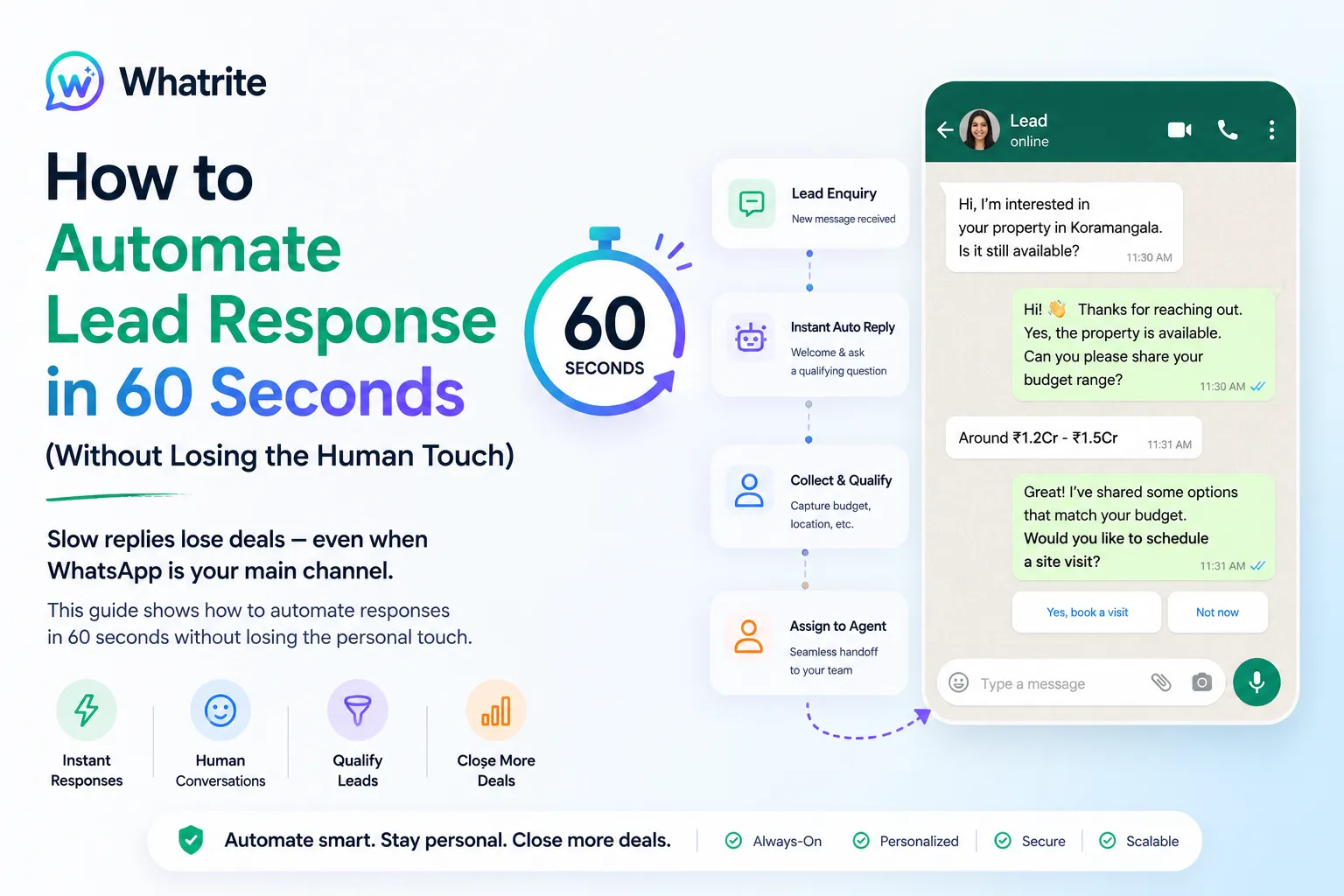
Your lead fills out a form at 9 PM. They get an auto-reply at 9:01 PM. By 9:15 AM, your competitor has already booked a demo call. That gap between intent and response is where deals disappear, and for EdTech and D2C brands running on WhatsApp, it is entirely preventable. This post walks through how WhatsApp lead automation works, where it genuinely helps your team, and how to set it up so responses feel fast and human.
Why Speed Kills Your Conversion Rate (And What the 60-Second Benchmark Actually Means)
Leads who get a response within five minutes are nine times more likely to convert than those who wait an hour. That is not marketing exaggeration, it is documented across industries where buying intent is high and consideration windows are short. For WhatsApp specifically, the bar is even higher because customers expect the same conversational speed they get when texting a friend.
The 60-second benchmark is not about sending an instant generic reply. It is about having a system that can qualify the lead, answer common questions, and route the conversation to the right person while you focus on calls that actually need your voice. Think of it as your first responder that works 24 hours a day, even on weekends.
The 24-Hour Window You Cannot Ignore
WhatsApp's official Business Platform gives you a 24-hour messaging window after a customer contacts you. Outside that window, you can only send messages using pre-approved templates. That constraint sounds limiting, but it actually forces better habits: engage quickly, capture intent, and move the conversation to a resolution before the window closes. Automated replies built inside these limits convert better because they respect the channel's rules.
How AI Bot for WhatsApp Handles the First 60 Seconds
A well-configured AI bot for WhatsApp does three things in that first minute. It acknowledges the lead, asks a qualifying question or two, and serves up the most likely answer or next step. This is not a chatbot that loops through FAQs. It is a decision tree that adapts based on what the lead actually said.
For an EdTech brand, that might look like: detecting the course interest, offering a link to the relevant syllabus, and booking a callback slot if the lead is ready. For a D2C brand selling products, it could be: identifying the product query, sharing a size guide or ingredient detail, and offering a discount code if the lead asks about pricing.
What to Automate Versus What to Keep Human
Automate the predictable. A query about refund policy, a request for store hours, a question about bulk pricing, or a lead form submission that needs immediate confirmation. These do not require your best sales person. They require a correct answer delivered now.
Keep human when the lead is in a complex evaluation or expressing hesitation. If someone says "I am still comparing options" or "my budget is tight this month," that signal should route to your team, not get lost in an automated sequence. The goal is to have the bot handle the fast volume and flag the high-value conversations for your attention.
Setting Up Automated Sales Replies That Do Not Sound Robotic
The most common failure mode in AI-powered messaging is a sequence that sounds like it was written by a legal department. "Thank you for contacting us. Your query has been received. A representative will respond within 24 hours." That is not instant lead response, that is a delay in disguise.
Write replies as if a real person typed them. Short sentences, direct answers, and a clear next step. If the lead asked about pricing, give a range or a link to a pricing page. If they asked about availability, say "We have three slots open this week, here is the booking link." The reply should do the job of a good sales person typing fast, not a system acknowledging receipt.
Timing and Triggers
Trigger your automation the moment a lead sends their first message, not after you have manually reviewed the inquiry. This is where WhatsApp lead automation integrations matter. When someone submits a form on your website or lands from a Meta ad, that intent signal should open the conversation on WhatsApp automatically. Every minute of manual setup is a minute your lead waits.
Use time-based rules carefully. A welcome message should fire instantly. A follow-up sequence can be spaced by hours or days depending on your nurture cadence. The mistake many teams make is automating everything to fire immediately, which creates a jarring experience when a lead gets five messages in sixty seconds. Spread your sequences, respect the rhythm of the conversation.
Measuring Whether Your Automation Is Actually Working
Automation is only valuable if it moves leads forward. Track these three signals to know if your system is helping or just generating noise.
- Response time: how quickly does the first reply go out after a lead initiates contact?
- Conversation completion rate: what percentage of automated interactions end with the lead taking the desired action, whether that is booking a call, receiving a link, or confirming an order?
- Escalation accuracy: how often does the bot correctly route a complex query to a human versus resolving it independently?
Review these weekly in your first month and monthly after that. If escalation accuracy is low, your decision tree needs refinement. If completion rate is dropping, your replies may not be answering the actual questions your leads are asking. The system learns from your feedback, but only if you are watching the right numbers.
Bringing It Together: A Sequence That Protects the Human Touch
The goal of 60-second lead response is not to remove your team from the process. It is to make sure every lead gets a competent first touchpoint while your people focus on the conversations that actually need judgment. An AI bot for WhatsApp handles the volume. Your team handles the trust.
Start with one high-frequency query that your team answers repeatedly. Build your first automated reply for that scenario, test it with a handful of real leads, and measure the response. Once that is working, expand to a second query type. Iterate, do not overhaul. The brands winning on WhatsApp did not automate everything on day one. They automated the obvious, protected the nuanced, and built trust in the channel over time.
If you are managing multiple WhatsApp Business accounts across brands or locations, automation becomes even more critical because inconsistency in response time is often the bigger problem than the response quality itself. A unified dashboard that keeps all your accounts fast and on-brand solves that, and it is where many teams end up once their manual processes hit a scaling wall.